Enabling case-insensitive usernames
This will guide you through enabling the case-insensitive username setting and any steps required prior to it.
Some steps may not be required for your specific configuration, especially for fresh instances. This guide is a comprehensive process to ensure reliable execution.
If you are certain that:
- you do not have any existing users which are case-insensitive duplicates of each other and
- your LDAP synchronization settings do not include any such duplicates,
you may proceed to and only perform Step 4.
Step 1: Disable the LDAP sync cronjob
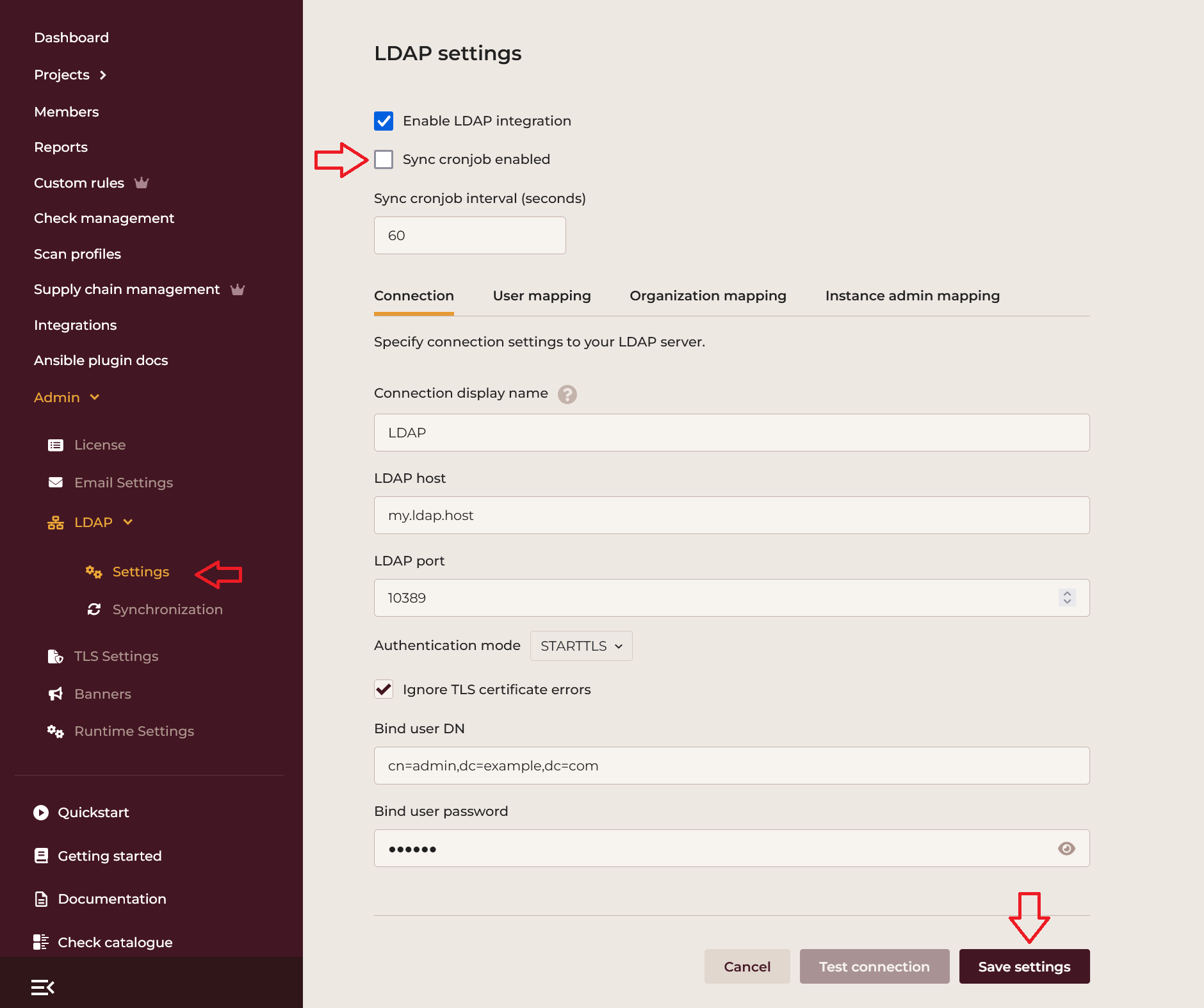
To ensure that LDAP synchronization does not adversely affect users during the process, it is strongly recommended to disable the LDAP synchronization cronjob. Do this by using your browser to navigate to Admin > LDAP > Settings as an instance administrator, unselecting the Sync cronjob enabled checkbox, and saving the settings.
Step 2: Identify existing duplicate users
The case-insensitive usernames setting cannot be enabled if there are any case-insensitive duplicates already present in the database.
First, identify the duplicate users by logging into the server and executing the following command:
cd /spotter/steampunk-spotter/config/onprem/
podman-portable compose exec cli \
    ./dev.py --skip-dotenv admin user list-duplicates
Identify duplicates and choose which users to keep within each group of duplicates. Note down the email addresses of users you want to remove, as this will be used in the next step.
Step 3: Delete case-insensitively duplicate users
To delete users and all their relevant data, use the following command for each email from the previous step:
podman-portable compose exec cli \
    ./dev.py --skip-dotenv admin user delete \
        --email-user-to-delete "user@example.com" \
        --confirm-delete-scans
The command runs in dry-run mode by default to prevent accidental deletions.
Append --no-dry-run to the command if you are satisfied with the results to delete the user.
If you want to keep the scans by any of the users that the command above would delete, you may opt to reassign scans
to a placeholder user and project using --email-user-placeholder EMAIL_USER_PLACEHOLDER and --project-id-placeholder
PROJECT_ID_PLACEHOLDER switches.
Consult the help for dev.py admin user delete for more details.
Step 4: Enable the case-insensitive usernames setting
Navigate to the Admin > Site settings as an instance administrator in the browser, look for the User logins section, and enable the Case-insensitive usernames option by setting the check in the checkbox, then save the settings.
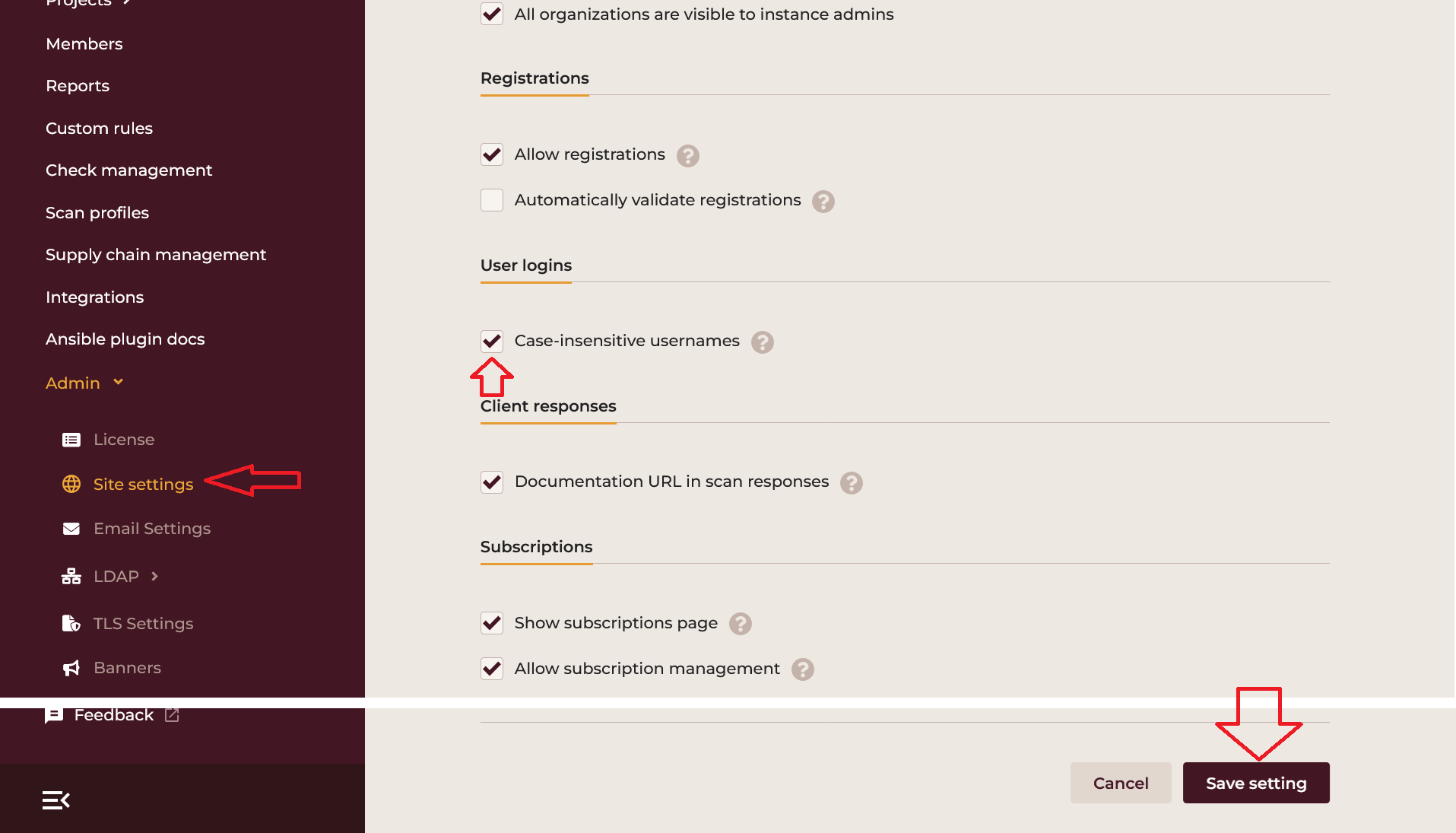
This should succeed if there are no duplicates.
Step 5: Test and execute LDAP synchronization
In the browser, navigate to Admin > LDAP > Synchronization and click Test LDAP synchronization (dry run). This will tell you if there are any errors processing case-insensitive duplicates coming from LDAP.
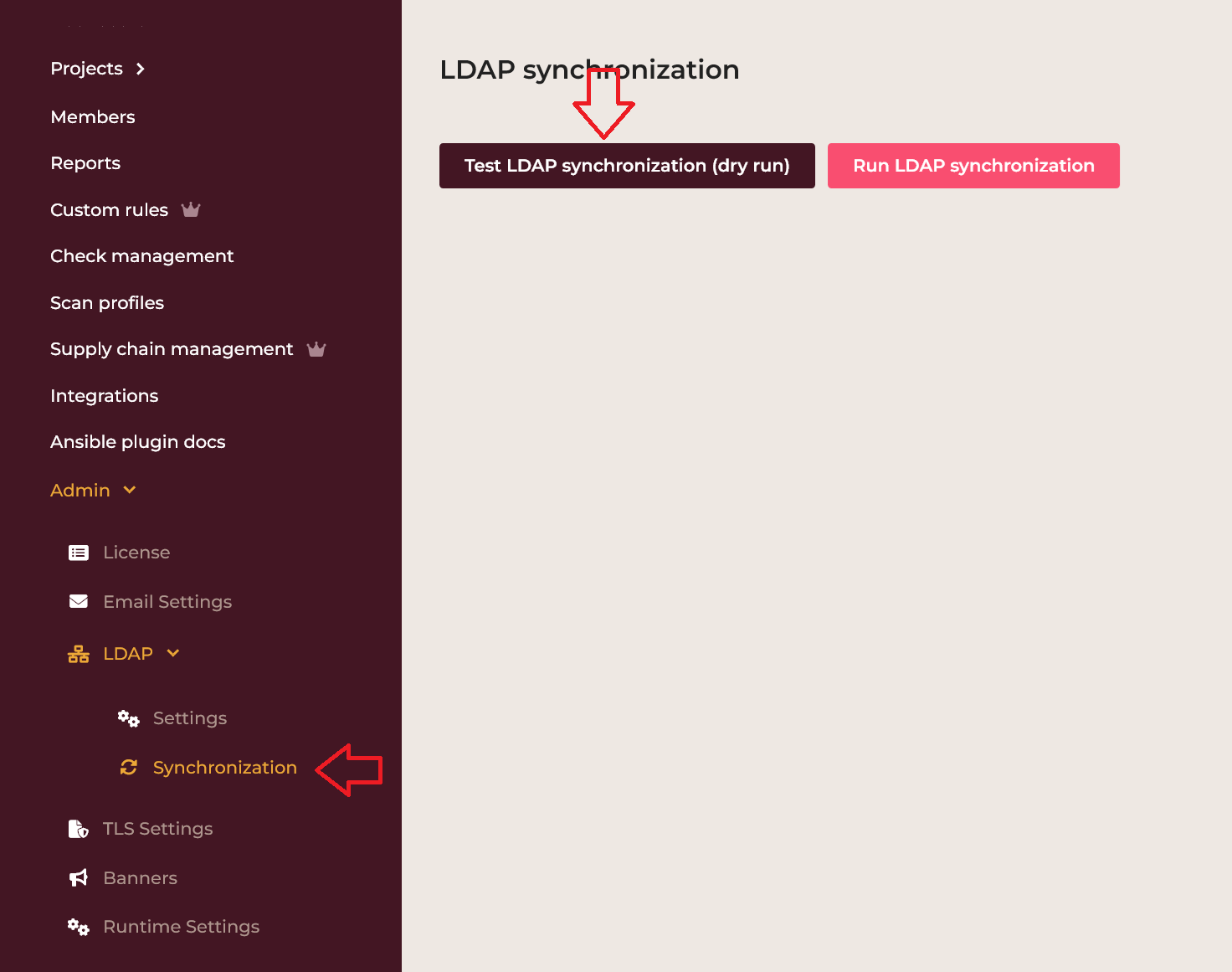
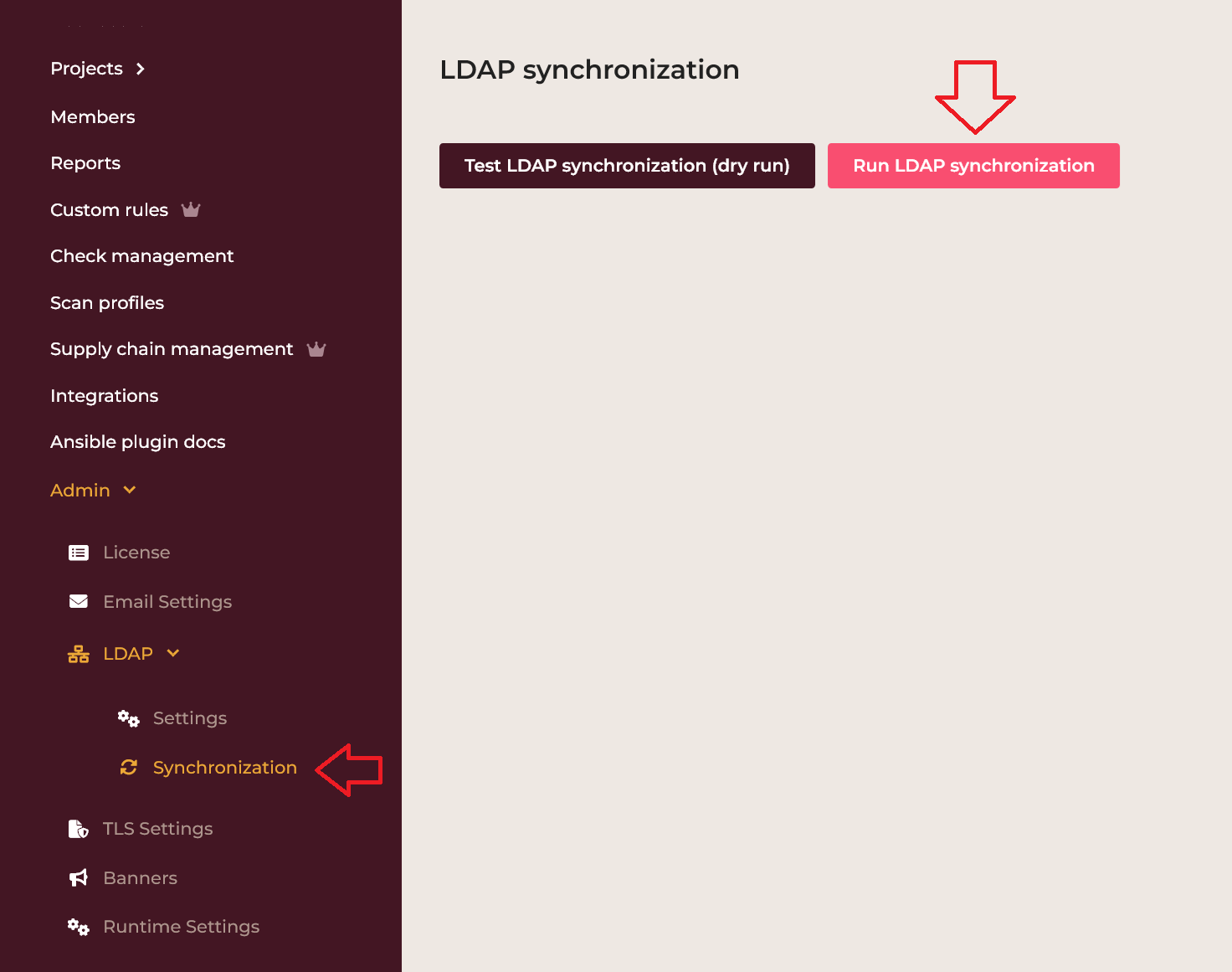
If this succeeds, perform an actual synchronization and re-enable the LDAP synchronization cronjob.
Step 6: Log in through LDAP
The final verification step is logging in with a case-insensitive match of an existing username.
There are three cases to test:
- logging in as an internal user, with a mixed-case username,
- doing the same with a user created through LDAP and
- logging in with a user from the set of case-insensitive duplicates from Step 2.
All of these should succeed. If not, contact vendor support for assistance.